The terminal for running
many AI agents at once.
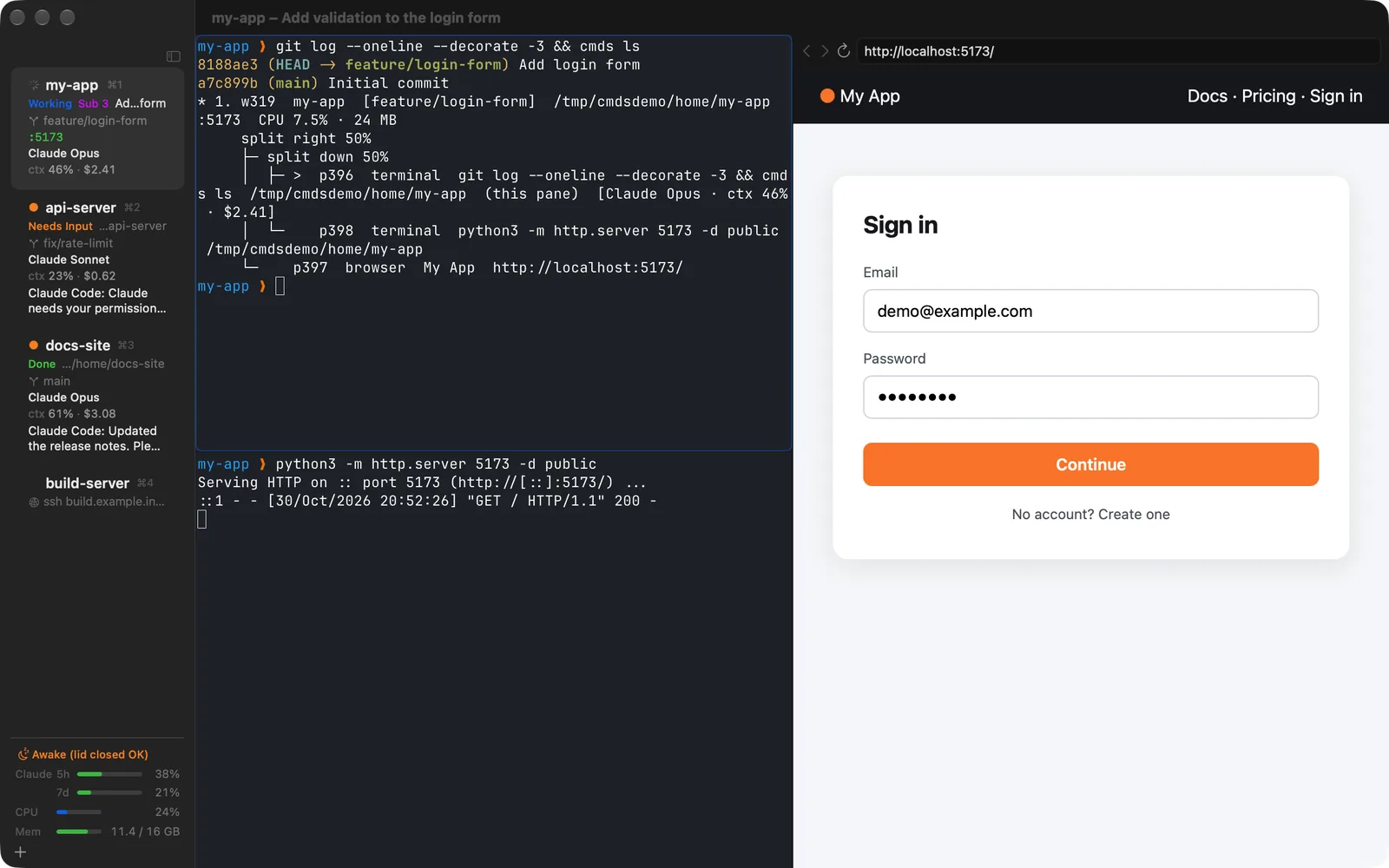
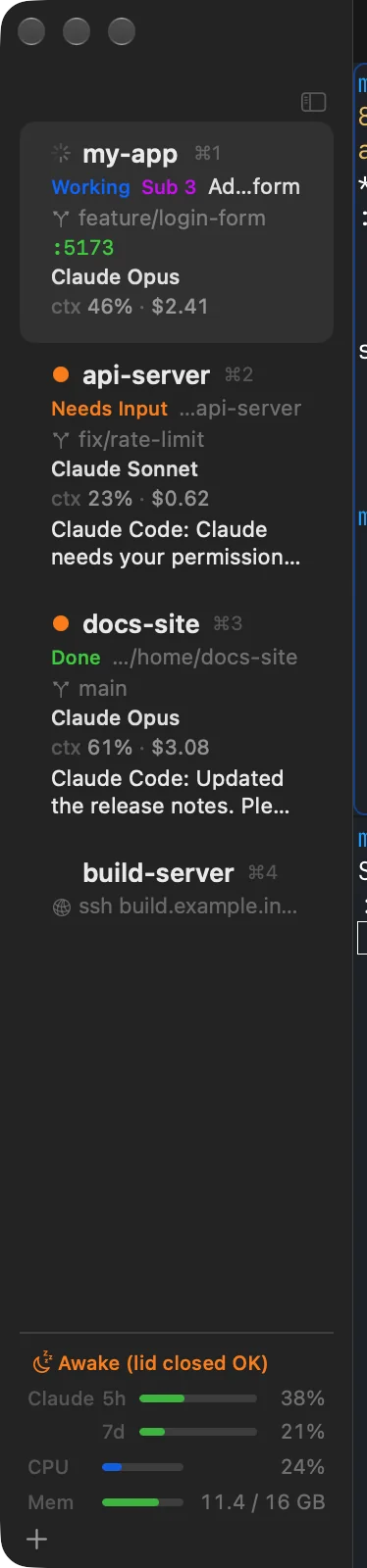
cmds is a native macOS terminal workspace for running Claude Code, Codex and friends side by side. The sidebar shows which agent is working and which one is waiting for you, and the pane that needs you lights up with an orange ring.
Free and open source (GPL-3.0). No account, no telemetry.
Features
Built for working with agents
Keep your shell as it is, and get what you need to keep an eye on your agents, at native Mac speed.
Vertical tabs
Every workspace shows its git branch, directory, listening ports, and the agent's state (Working, Needs Input, Done) and task. Filter them, or group them by project.
Notification ring
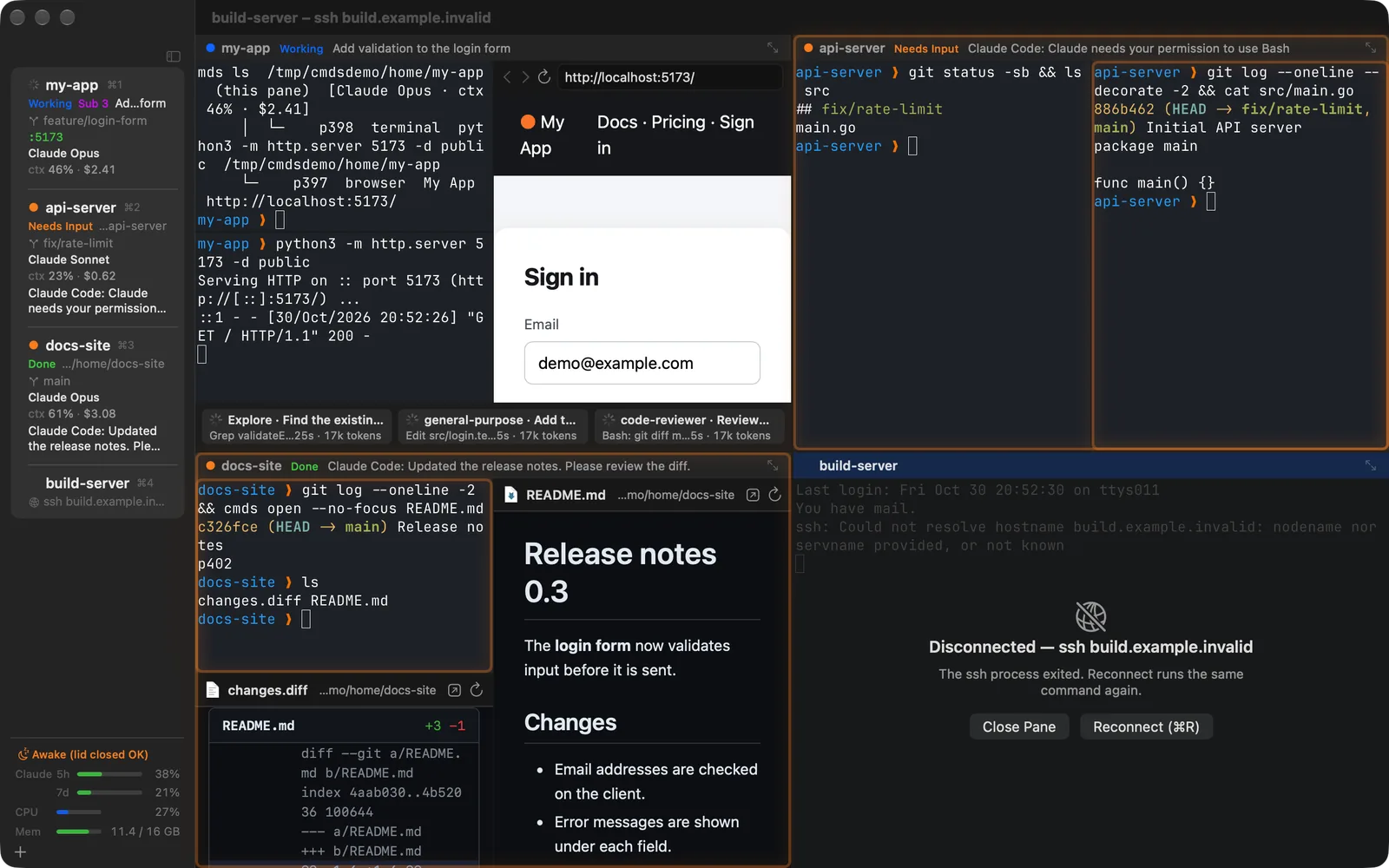
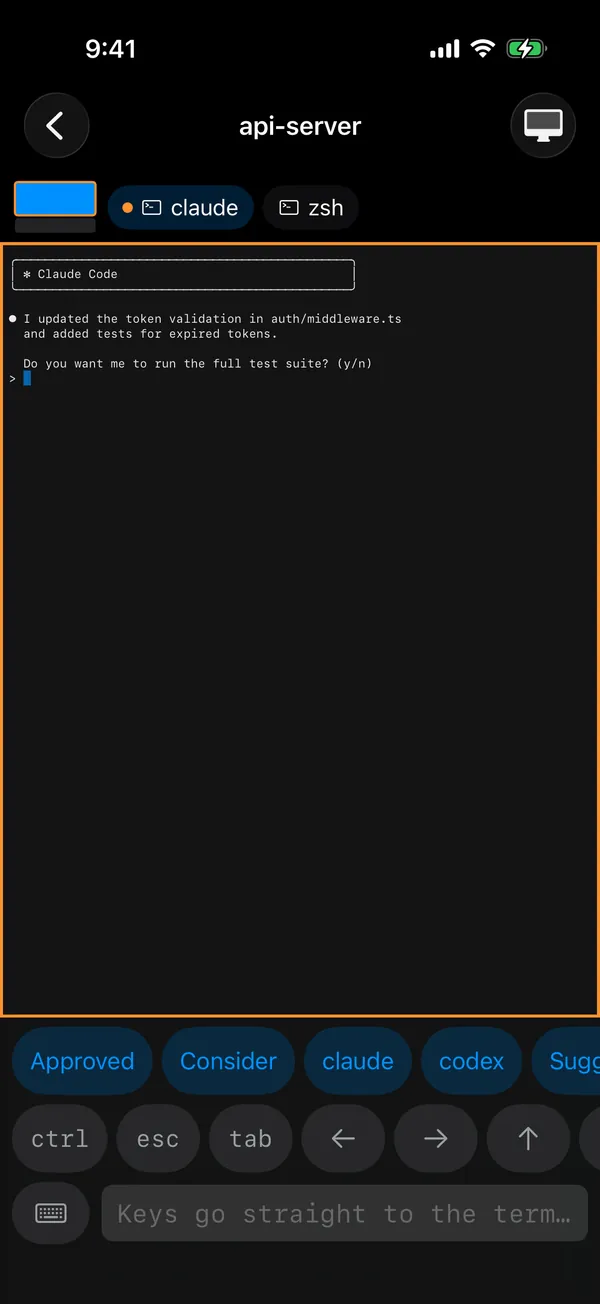
When an agent asks for permission or input, its pane lights up orange and the sidebar shows the message. ⇧⌘U jumps to the latest. Works with OSC 9/777, the bell and cmds notify.
In-app browser
A WebKit browser next to your terminal for your dev server, where agents also open and check pages instead of Chrome (the cmds mcp MCP server, or cmds browser).
Splits and tiled view
Nested right/down splits and pane zoom. Show up to nine workspaces as live tiles, e.g. five Claude Code sessions at once; drag them in from the sidebar.
File preview
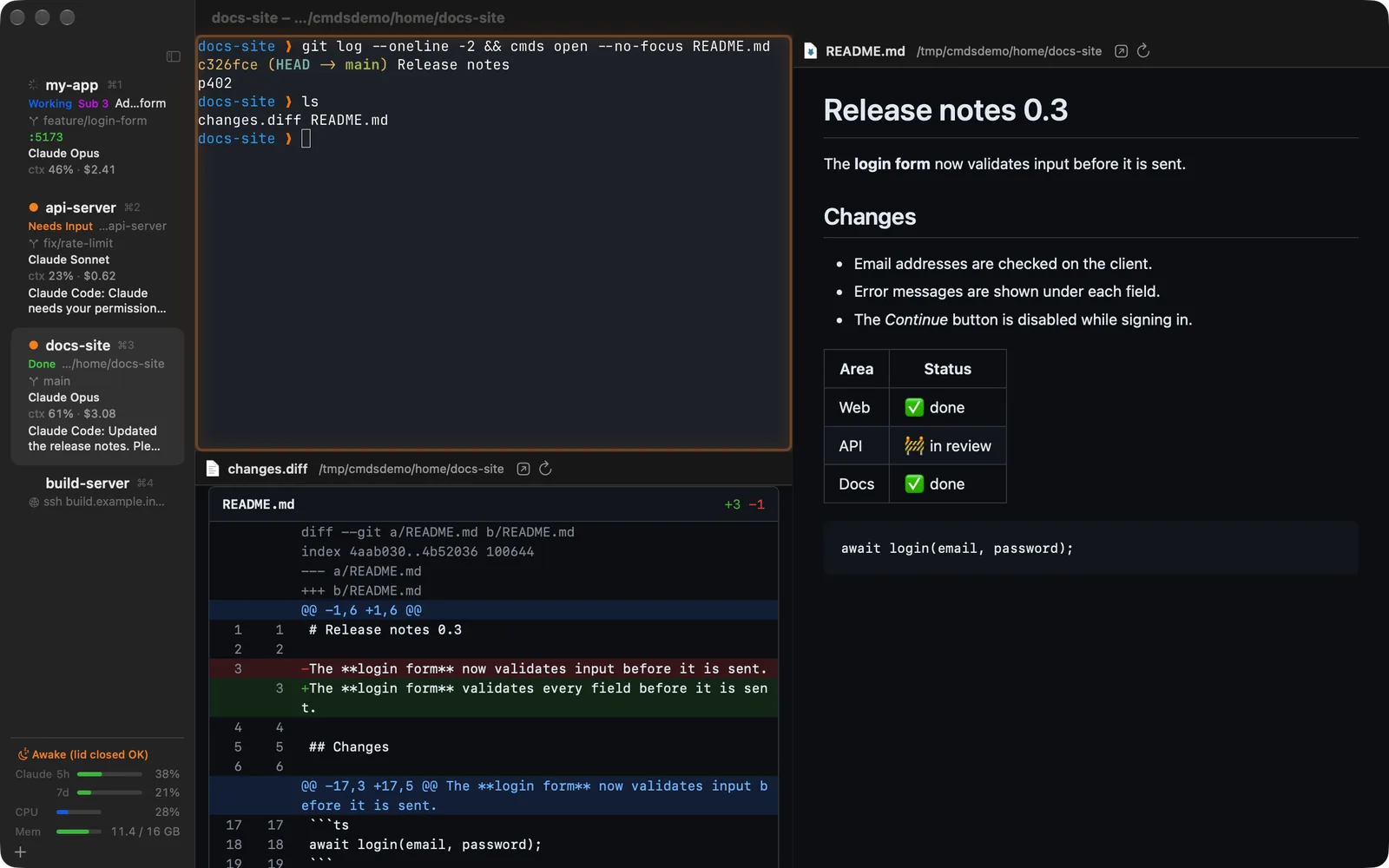
Images, PDF, video and Office files (Quick Look), GitHub-style Markdown and coloured diffs, reloaded when the file changes. ⌘-click a path in the terminal to open it.
Files panes
A folder on your Mac or on an SSH host as a list next to your terminals. Two side by side copy and move, and transfers to and from servers queue up with Pause and Retry. SSH uses your own ssh setup and keys; no passwords are stored.
CLI and socket API
The bundled cmds command splits, types, reads screens, notifies, drives the browser and reports stats, with --json everywhere for scripts and agents.
GPU rendering by libghostty
Terminals are drawn with Metal by Ghostty's engine (libghostty): true colour, with the xterm-ghostty terminfo and shell integration bundled.
Native Swift and AppKit
A real Mac app, not Electron: menus, shortcuts, notifications and Quick Look behave the macOS way.
SSH workspaces
Your own ssh and ~/.ssh/config, with a restricted socket forwarded to the server, so notifications and usage from agents on the server reach you. Reconnect with one click.
Keep awake
No idle sleep while cmds runs, so long agent runs keep going. Opt in to keep running with the lid closed.
Session restore
Workspaces, splits, directories and URLs come back after a restart, and Claude Code / Codex sessions are offered for resuming. Export and import move them to another Mac.
Schedules
At set times or when a limit resets, start a workspace, continue a Claude Code or Codex session, or type into a pane. Nothing is typed into a busy agent, and nothing runs twice. Also from cmds schedule.
English and Japanese
Both the Mac app and the iPhone/iPad app are localized in English and Japanese, switchable from the menu.
For AI agents
Made for Claude Code and Codex
cmds brings what your agents are doing right now into the sidebar.
- State: Working, Needs Input, Done, Idle or Stopped, from Claude Code's hooks and its terminal title.
- Usage and limits: model, context, cost and the 5-hour / 7-day account limits from the status line (
cmds hook claude-status); orange from 80 %, red from 95 %. - Codex: nothing to set up. cmds reads only the session id, directory, usage and model from its session files, never the conversation.
- Subagents: Claude Code subagents (Task / Agent tool) appear as cards under the tiles, with type, current action, elapsed time and tokens.
- Session resume: after cmds restarts, the session that ran in each pane can be resumed with
claude --resume/codex resume(Ask, Always or Never). - Claude Code skill: teaches Claude to open helper panes without stealing focus and to use dev servers, the browser and previews.
iPhone & iPad
Answer your agents from anywhere
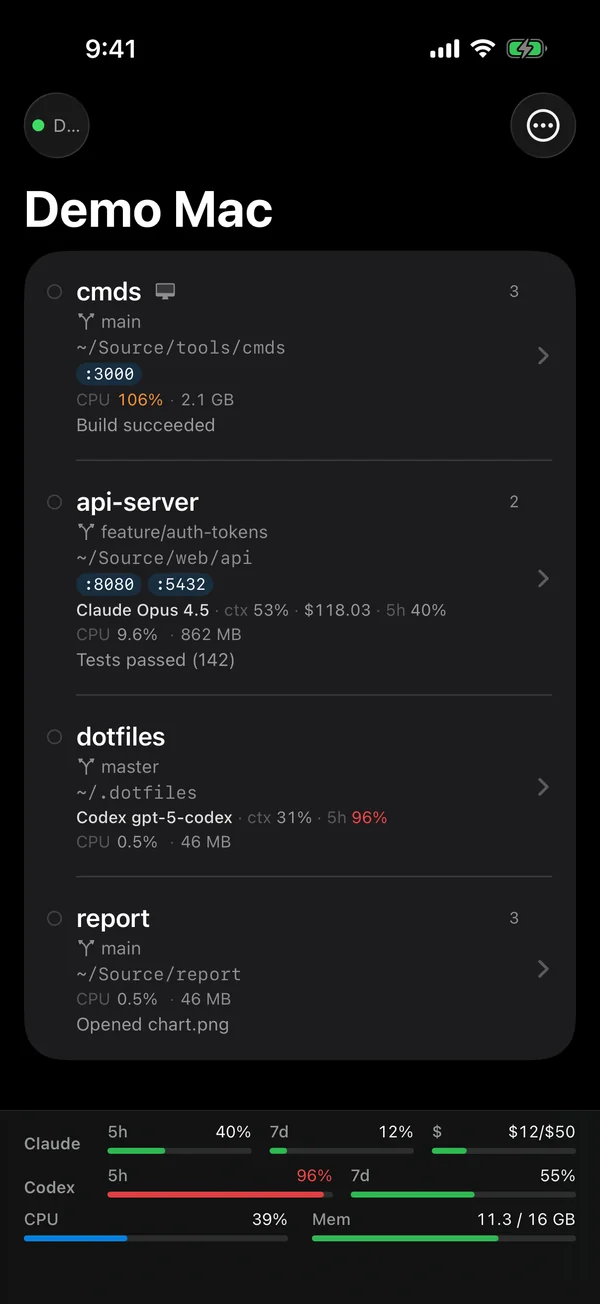
The iPhone/iPad companion mirrors your Mac's workspaces and terminal screens and notifies you when a pane needs you. Reply right away with the key bar or a hardware keyboard, or tap a shortcut button for a canned reply such as “Approved” or to start claude or codex.
- Pair with a QR code. Traffic is TLS 1.3, pinned to your Mac's own certificate.
- Connects over the local network (including peer-to-peer Wi‑Fi), Bluetooth LE when there is no Wi‑Fi, or through your own SSH server when you are away.
- Shows CPU, memory, agent usage and limits, and previews images and PDFs.
- No servers or accounts of ours involved.
iOS/iPadOS 17 or later. Free on the App Store.
Requirements
Requirements
Download
Download
Download cmds 0.8.1 (DMG, 13.9 MB)
Signed with Developer ID (N.N. LLC.) and notarized by Apple. See the GitHub release for the changes. From 0.2.0 on, the app updates itself (from 0.1.x, replace it by hand once).
- File
cmds-0.8.1.dmg(13,867,262 bytes, 2026-11-04)- SHA-256
1b71b98334d9aced671736bc26269e3c10cca076941b2a8169b3ebc5e5444534- Runs on
- Apple silicon, macOS 14 or later
Check the download with shasum -a 256 cmds-0.8.1.dmg.
Open source
Source code and license
cmds is free software under the GNU General Public License v3.0. Terminals are rendered by Ghostty (libghostty, MIT license), the Mac app updates itself with Sparkle (MIT license), and the iOS app uses Apple's SwiftNIO SSH (Apache-2.0).
The source code is on GitHub (nntokyo/cmds).
Privacy
Privacy
- The apps have no telemetry, analytics or ads, and no account.
- Your data stays on your Mac. Sync with your iPhone/iPad runs only over encrypted connections through your local network, Bluetooth, or your own SSH server.
- Nothing is sent to us (N.N. LLC).